
The status of many sites on one screen — for organisations with branches and universities with faculties.
What it looks like
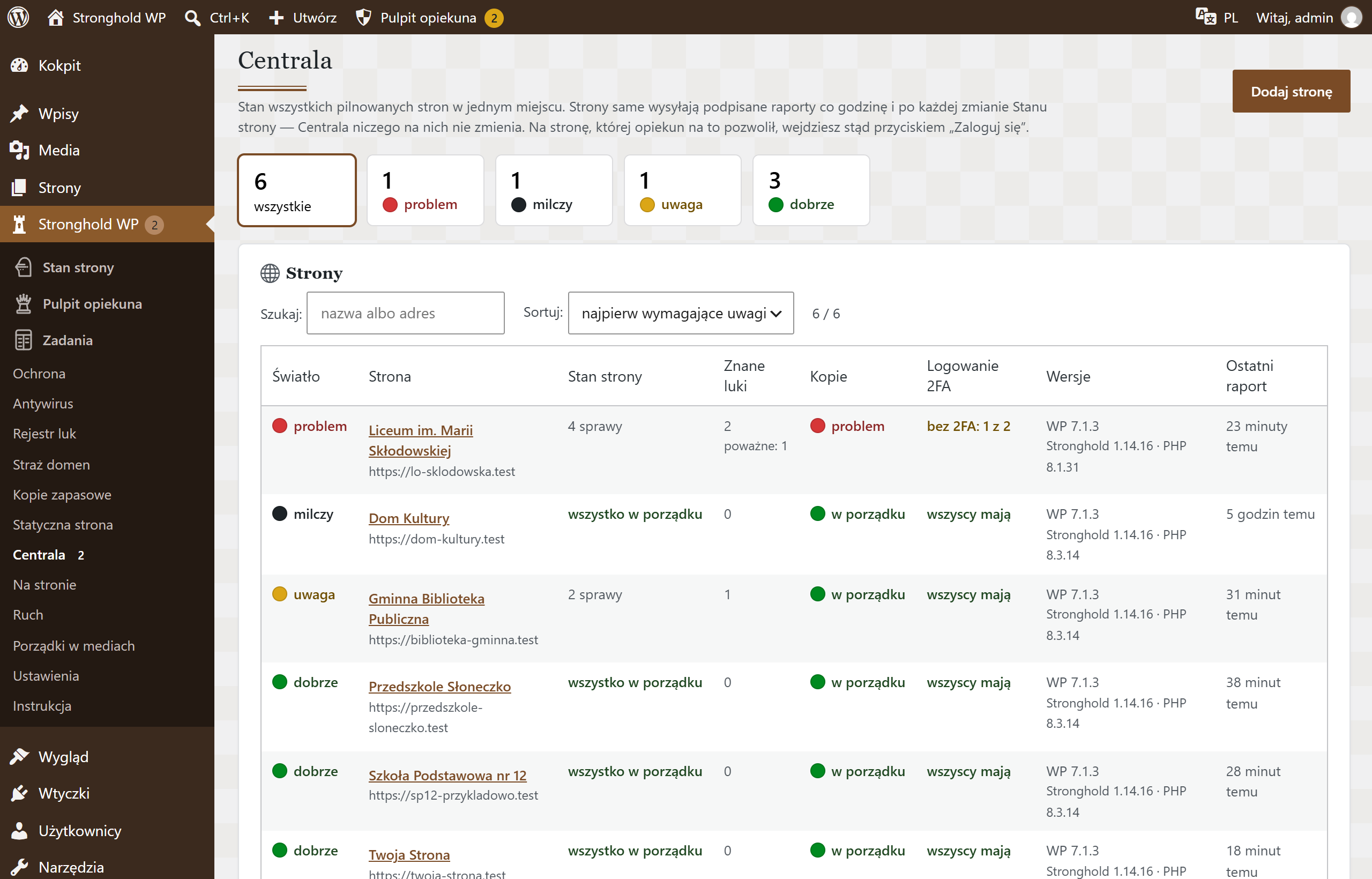

Screenshots from a test installation with sample data.
What it does
- Every site has a status light:
- good — all checks passed
- attention — something needs checking
- problem — something needs fixing; an e-mail goes out at once
- silent — no report for 3 hours: the site is down or has lost its connection to Headquarters
- waiting — the site has been added, the first report has not arrived yet
- For every site: open issues, known vulnerabilities, backup status and accounts without two-factor login
- Site details and a chart of the last 30 days
- A site is added with a one-time code, without sharing any passwords
- Sites send signed reports themselves; Headquarters has no password to them — access only with the consent of the site’s technical caretaker
- Reports contain only numbers and statuses — no logins, e-mail addresses or IP addresses
- An urgent e-mail for a new problem and a daily summary
Specification
| Version | 1.2.3 |
|---|---|
| Requires | WordPress 6.4+ · PHP 8.1+ · Stronghold WP 1.4.0+ · on the watched sites — Stronghold WP |
| Server | HTTPS on both ends; WordPress scheduler (WP-Cron) |
| Who changes the settings | the technical caretaker, with two-step login |
| External connections | none — reports come in from the watched sites |
| Data | site list and 30 days of reports in the WordPress database |
| Dashboard languages | Polish, Ukrainian, English |
| Updates | together with Stronghold WP, from the update channel |