
WordPress security plugin for institutions
The Stronghold for your WordPress
One well-designed plugin instead of a dozen. It stays a few moves ahead of attackers.
- Protects your site and keeps watch over it.
- Gives editors simple tools.
- Guides you step by step.
- Installs security fixes on its own.

Four opponent moves — and your answer
Attackers rarely improvise — they use well-known moves. Stronghold WP knows these moves and blocks each one before it can harm your site.

1. Reconnaissance
Opponent’s move: bots look for your login page, the old XML-RPC back door and outdated plugins.
Your answer
- Hidden login address
- The old XML-RPC back door and the dashboard file editor closed
- Security headers and limited access to your site’s data (REST API)

2. Password
Opponent’s move: thousands of login attempts and passwords from other sites’ leaks.
Your answer
- Limits on failed attempts
- Two-factor login
- Checking passwords against leak databases — without sending the password

3. Known vulnerability
Opponent’s move: attacking a plugin or theme with a known vulnerability.
Your answer
- Warnings about known vulnerabilities in your plugins and themes
- The firewall stops common attacks before WordPress starts
- Stronghold WP security fixes install themselves

4. Foothold
Opponent’s move: planting a file or creating an administrator account.
Your answer
- Site status shows every change to files and accounts
- Comparison with the original WordPress, plugin and theme files
- Server antivirus and quarantine
If an incident does happen, every hour counts
GDPR · personal data
72 h
to report a breach to UODO (the Polish data protection authority), counted from becoming aware of it, unless a risk to people is unlikely. Every breach goes into the breach register.
KSC Act (NIS2 in Poland) · essential and important entities
24 h · 72 h · 1 month
an early warning, an incident notification and a final report on a significant incident to the competent CSIRT. Check with a lawyer whether the Act covers your institution.
How Stronghold WP helps
who · what · when
The technical caretaker gets an e-mail about an important security event, and the activity log records the time of every change. A ready timeline for your report.
General information, not legal advice. The law as of October 2026.
Security tipGive administrator accounts only to people who really need them. Editors are fine with the Editor role. Every unnecessary administrator account is a piece your opponent can capture.
What else it does for you

Tidy content
- Copy a post or page with one click
- Broken links and reliable e-mail delivery (SMTP)
- Contact form and cookie notice
- Accessibility and mourning mode
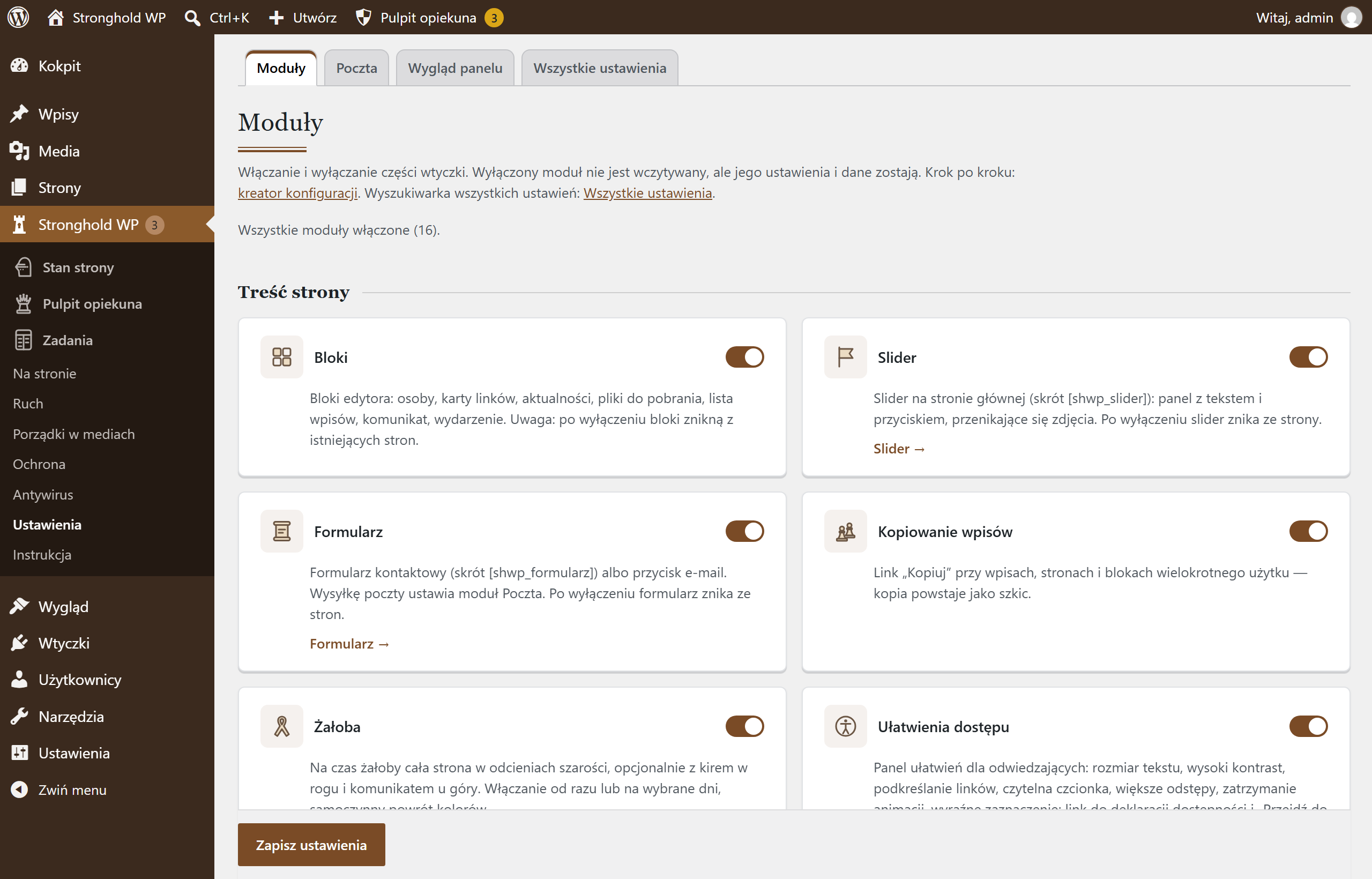
- Turn on only what you need

Clear roles
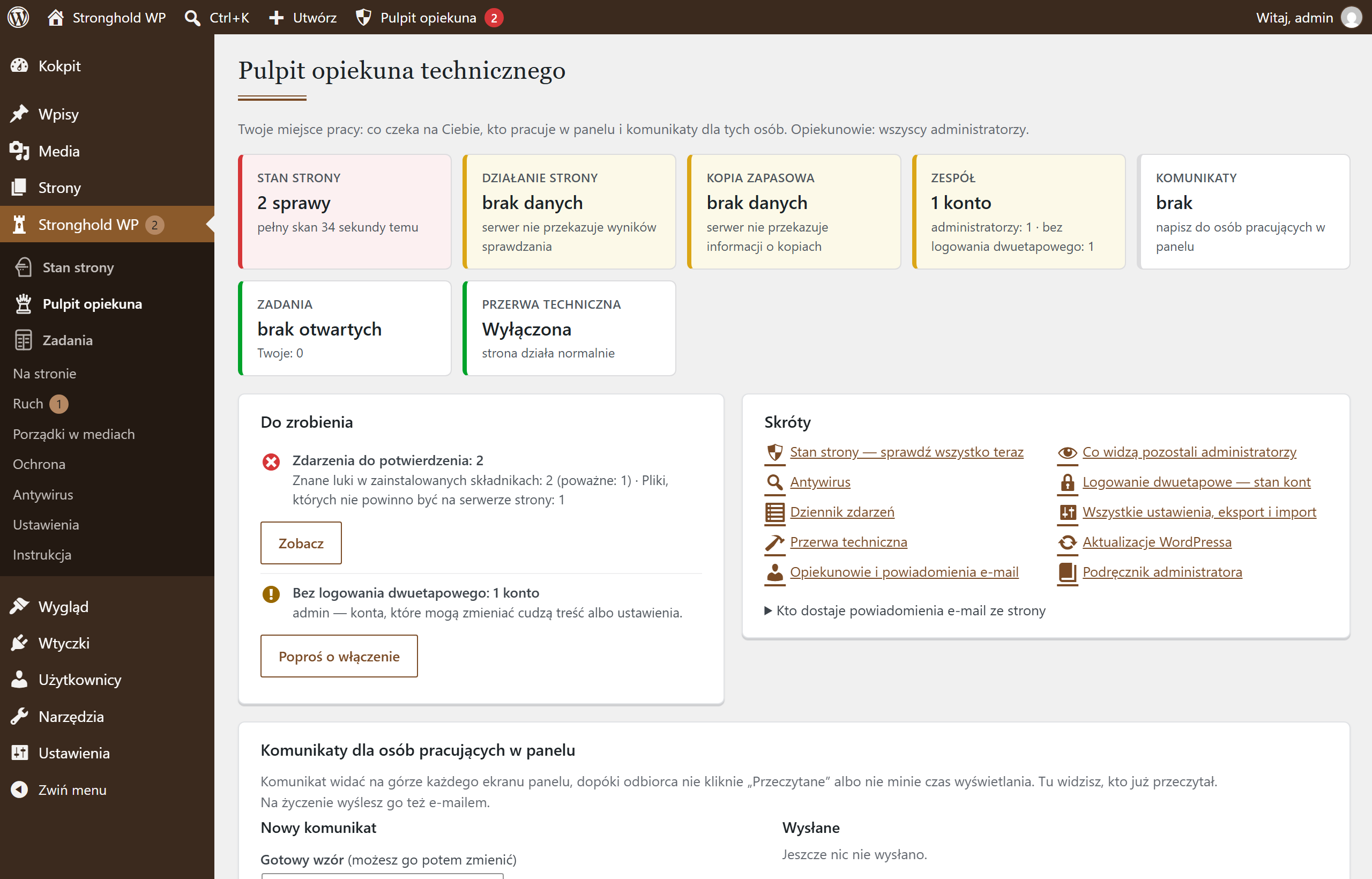
- The technical caretaker is responsible for the site
- Issues, accounts and security status in one place
- Activity log: who changed what, and when
- Other administrators work on content and can’t change protection by accident
For editors
Tidy media
Editors upload files as usual — Stronghold WP keeps things in order.
- **Folders** — Downloadable documents, News split by year, Pages, Slider, Logos and graphics. New files land in them automatically, and you move them by dragging onto a folder.
- **The address stays the same** — a folder is only for order and search, so links on the site keep working.
- **A new version at the old address** — “Replace file” swaps in new rules or a new form, and old links lead to the new version.
- **Order on upload** — names without Polish characters and without “IMG_1234”; a duplicate file and old formats are stopped with a hint.

What it looks like in the dashboard
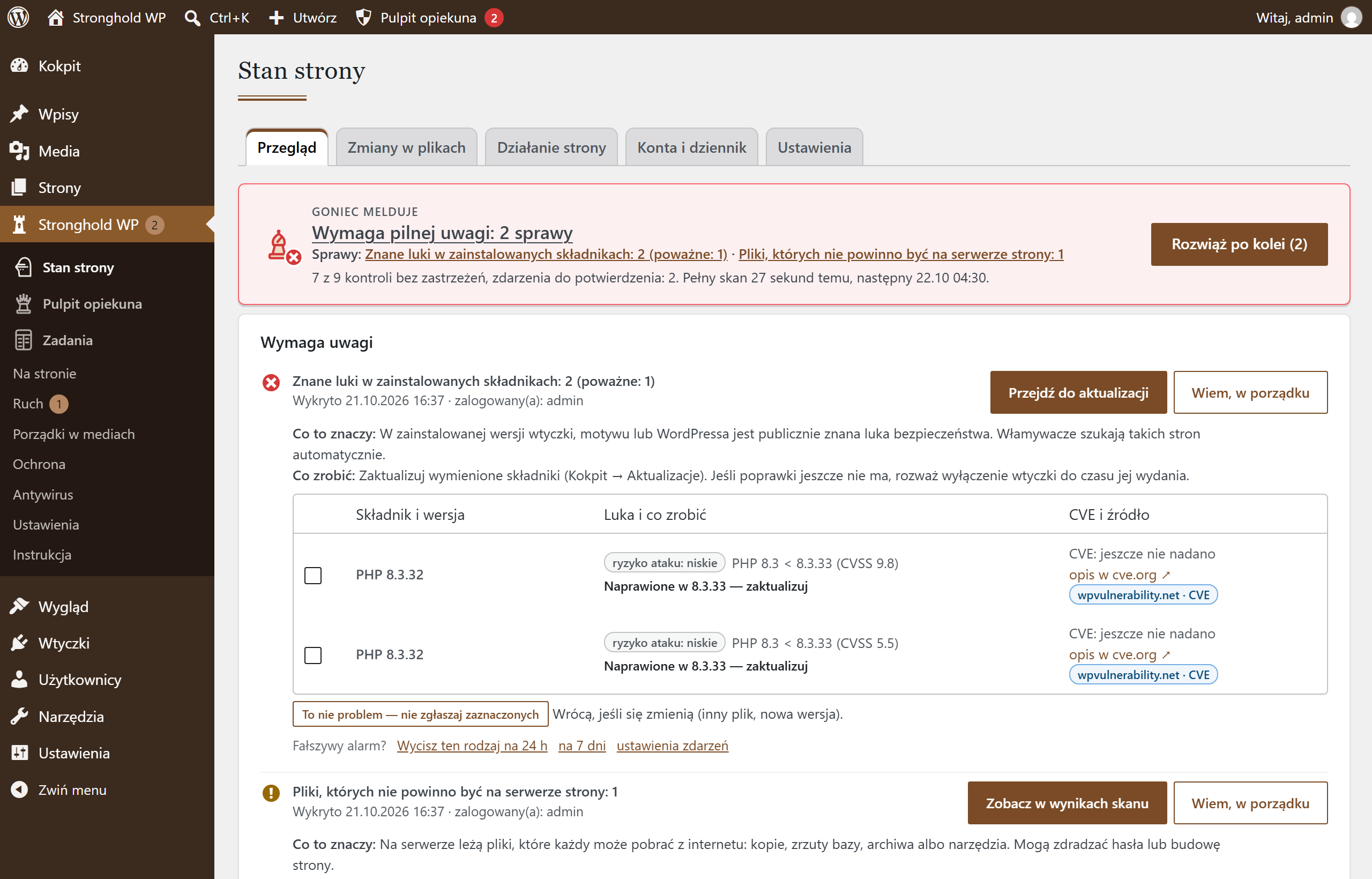
Site status tells you in plain language what needs attention. And it leads you to the solution — one issue at a time.
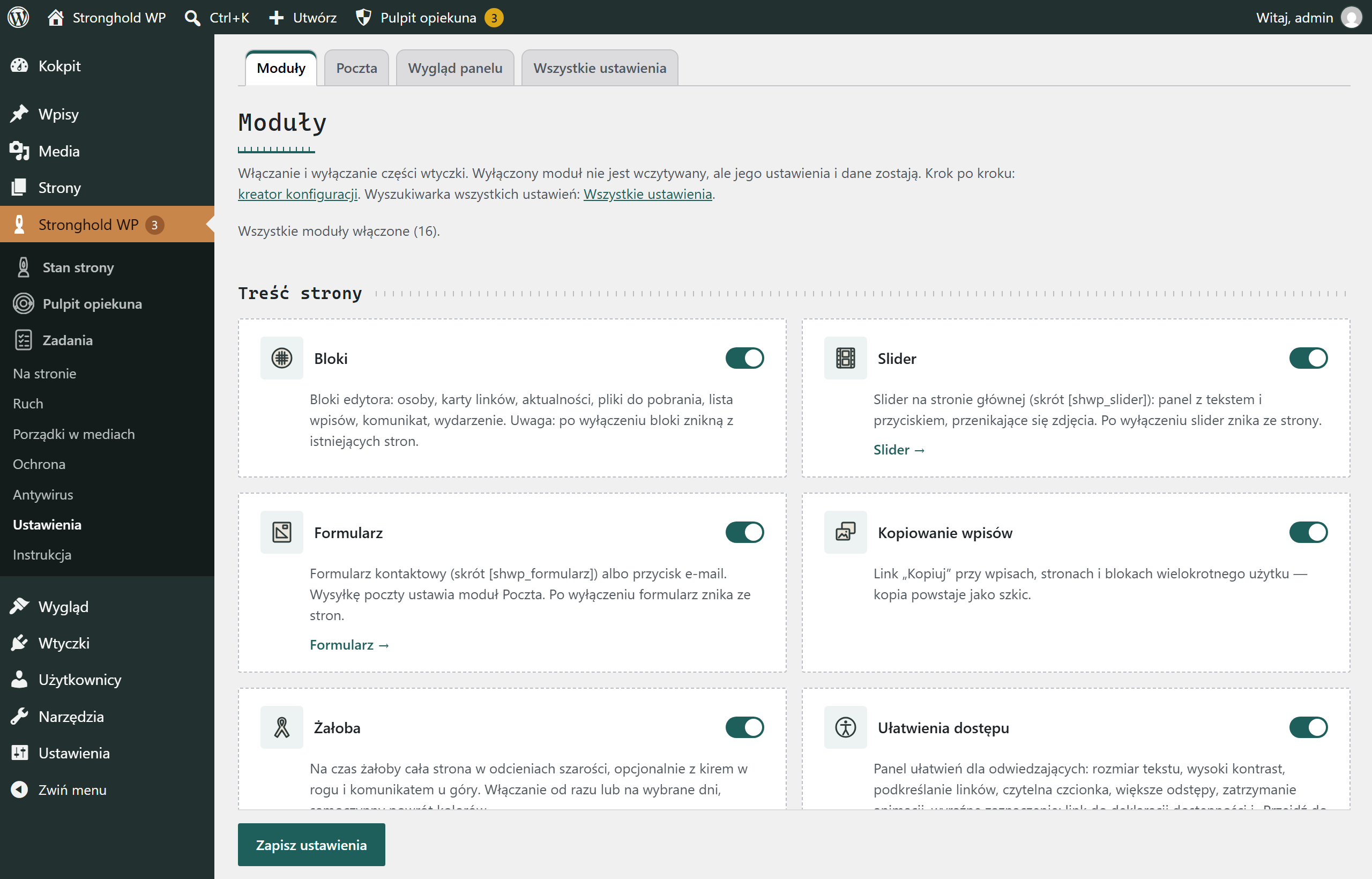
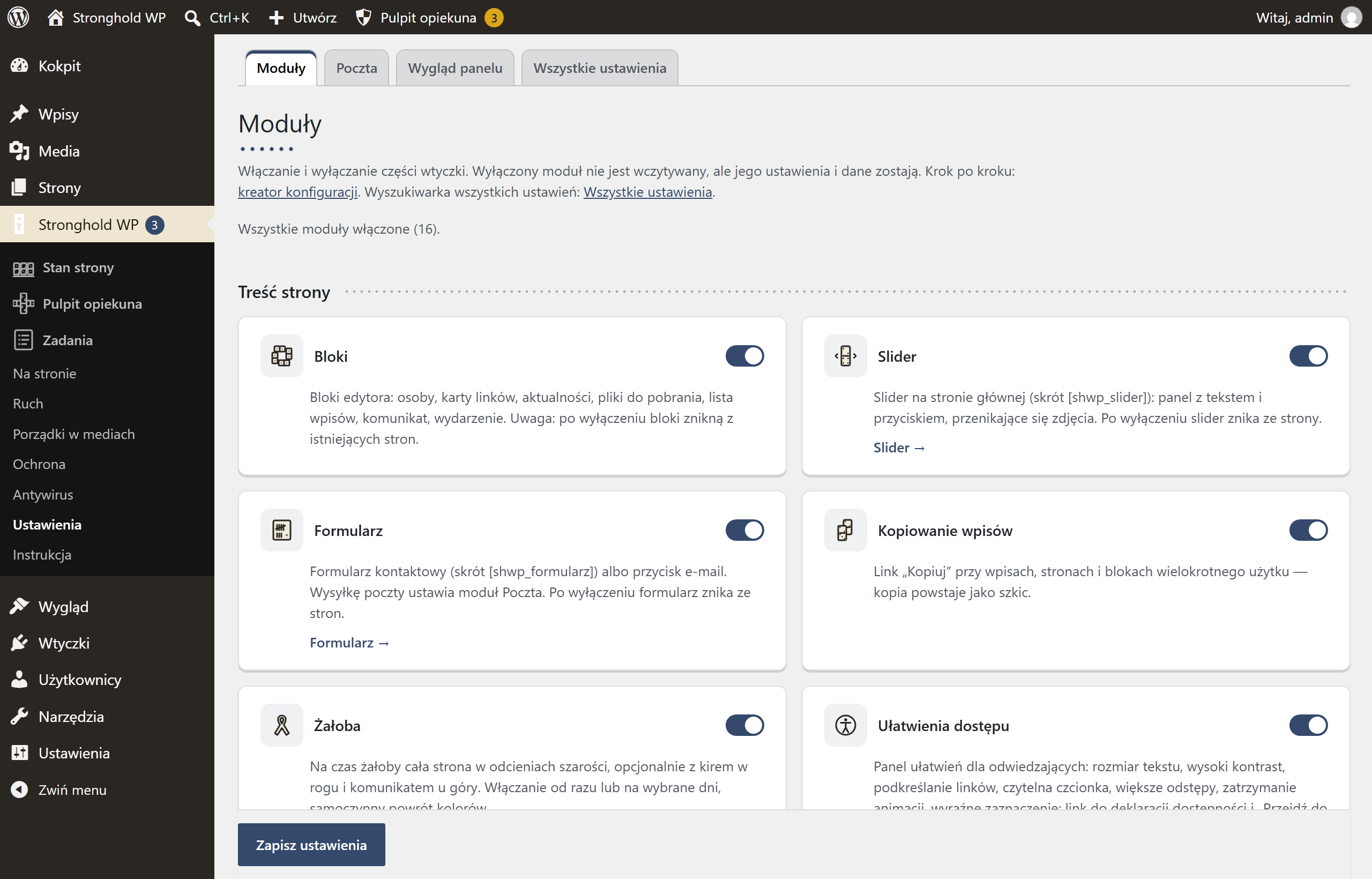
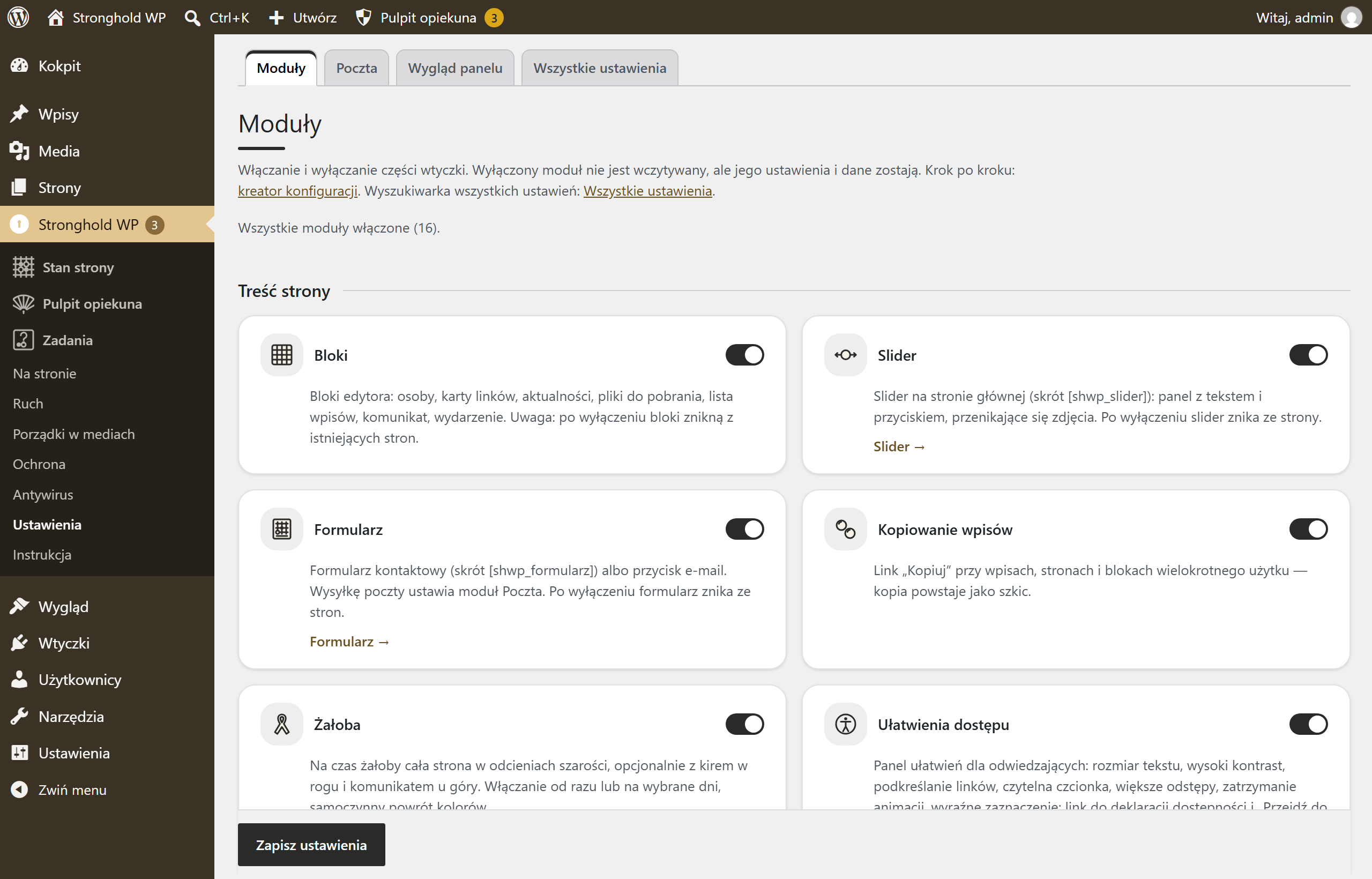
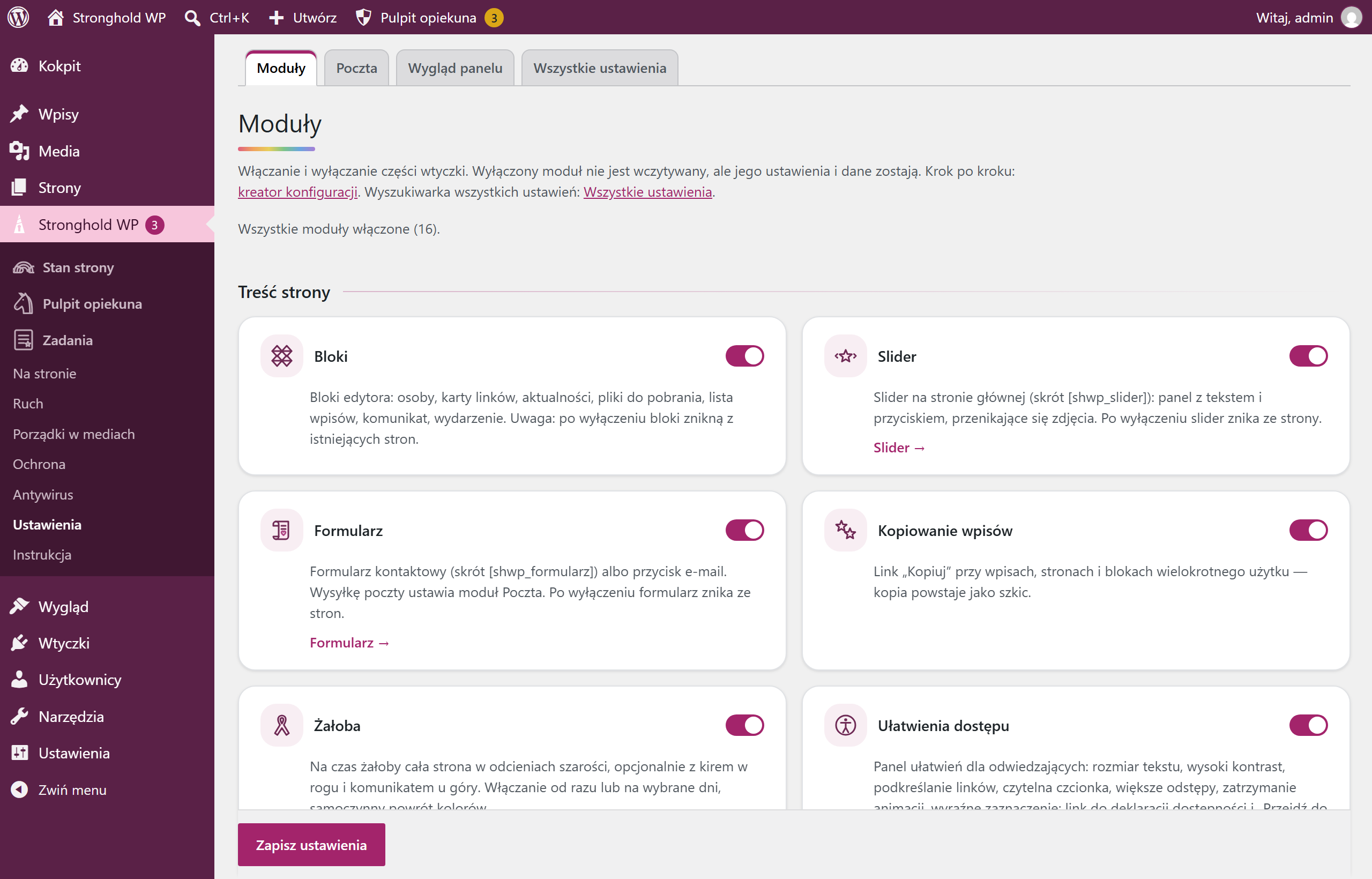
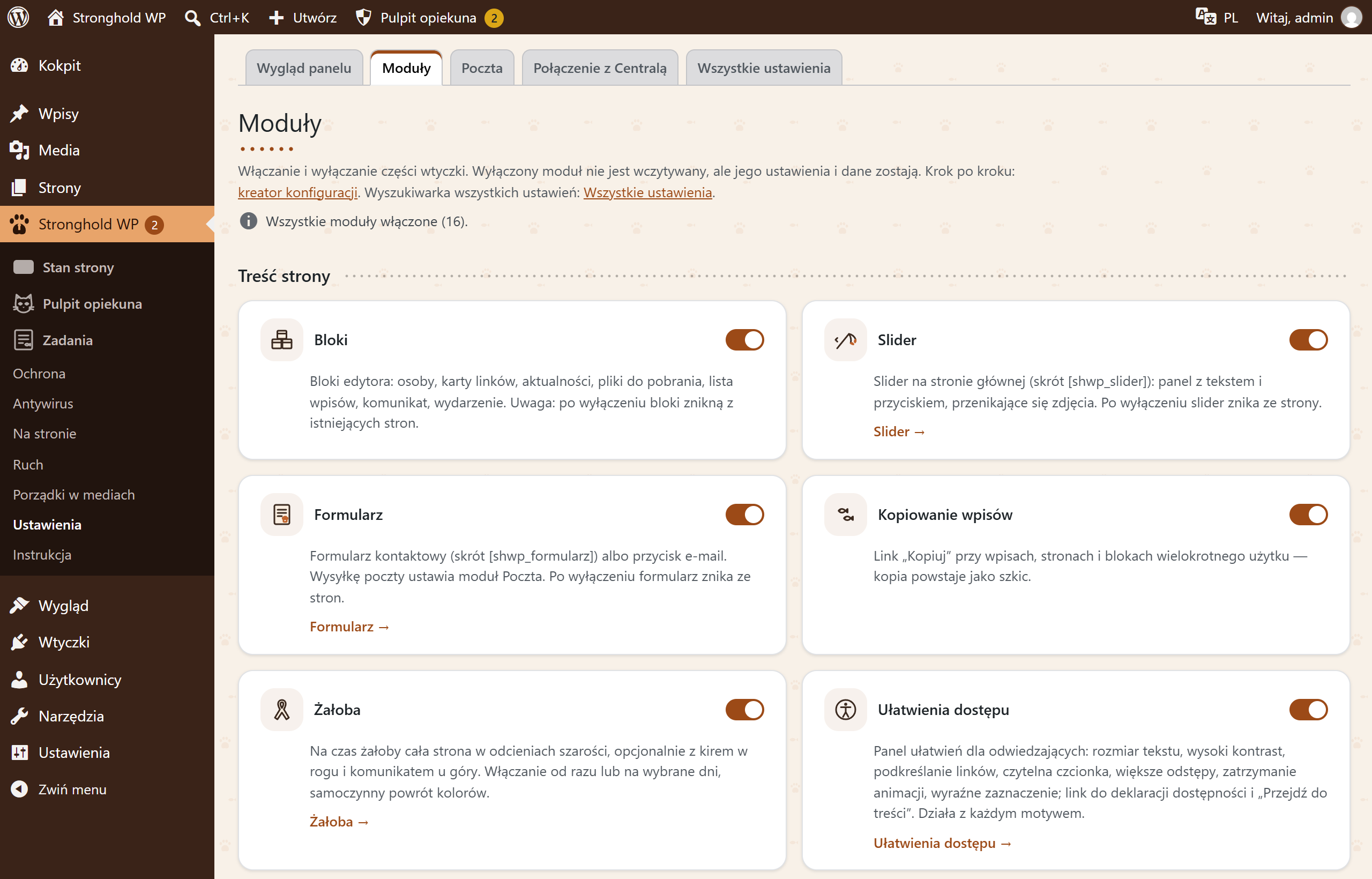
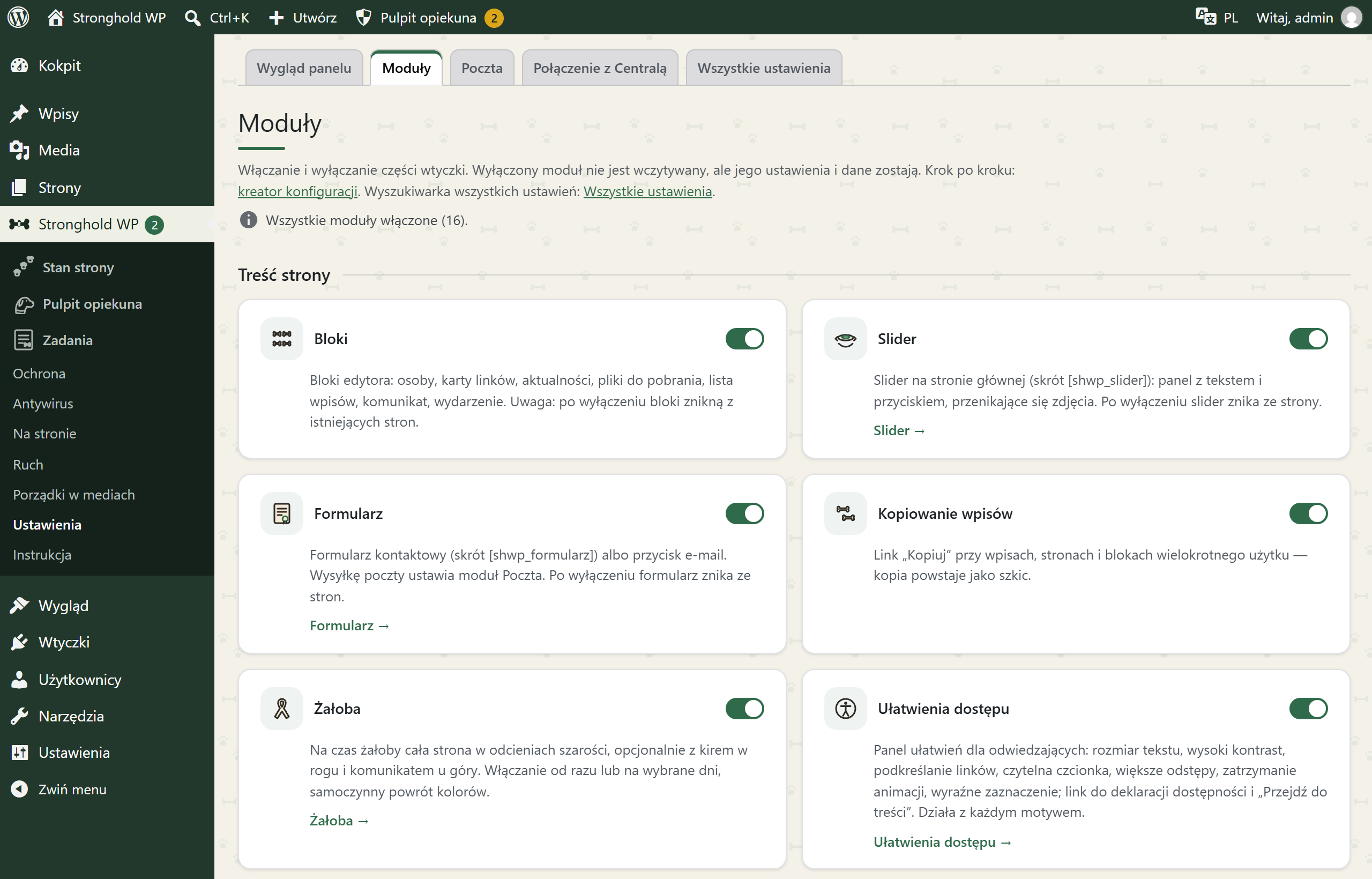
Themes add-on
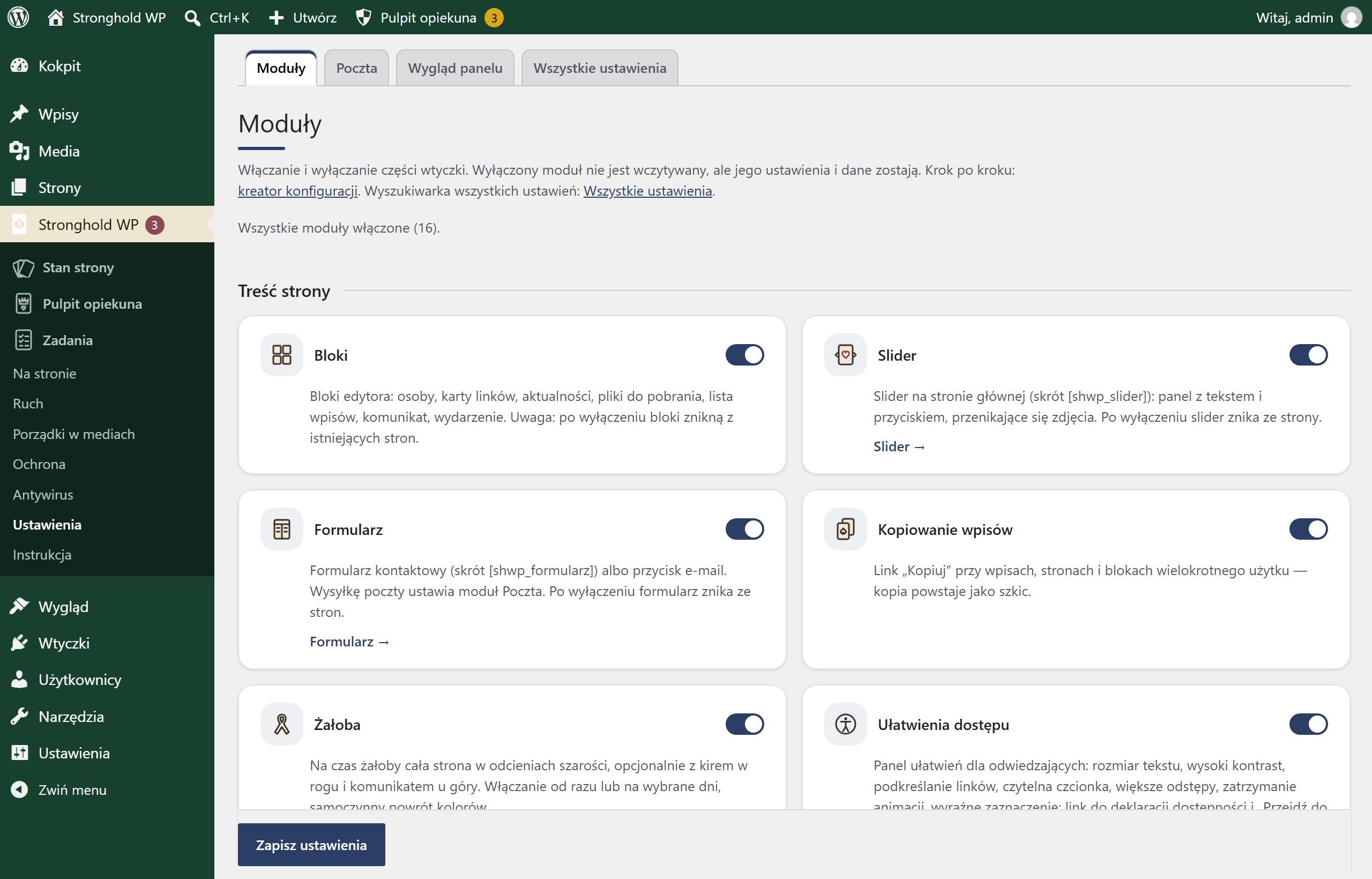
Eleven dashboard looks — and your own
Each look has its own icons, colours, background and character. In the editor you can build your own theme in your institution’s colours. The editor makes sure text stays readable.



Who it’s for
For institutions whose website matters but who have no security team of their own:
- Universities and schools
- Trade unions and associations
- Non-governmental organisations
- Local governments and their units
Why Stronghold WP
- Built in Polish, available in your language. The dashboard also speaks Ukrainian and English; the manuals are in Polish.
- Signed updates. A package without a valid publisher signature cannot be installed.
- Security fixes install themselves. During the support period, even without a key.
- Open source (GPL). You can check what runs on your site.
- This site runs on Stronghold WP.
How to get started
- Request access. Describe your institution and sites — we review every request.
- Install the plugin. The setup wizard guides you through the settings, step by step.
- Done. Site status watches your site and tells you when something needs attention.
Your move
We make Stronghold WP available to selected institutions — not to every site. Describe your institution and your sites, and we will review your request.